USPSA · IDPA · IPSC
Design the stage. Then walk it.
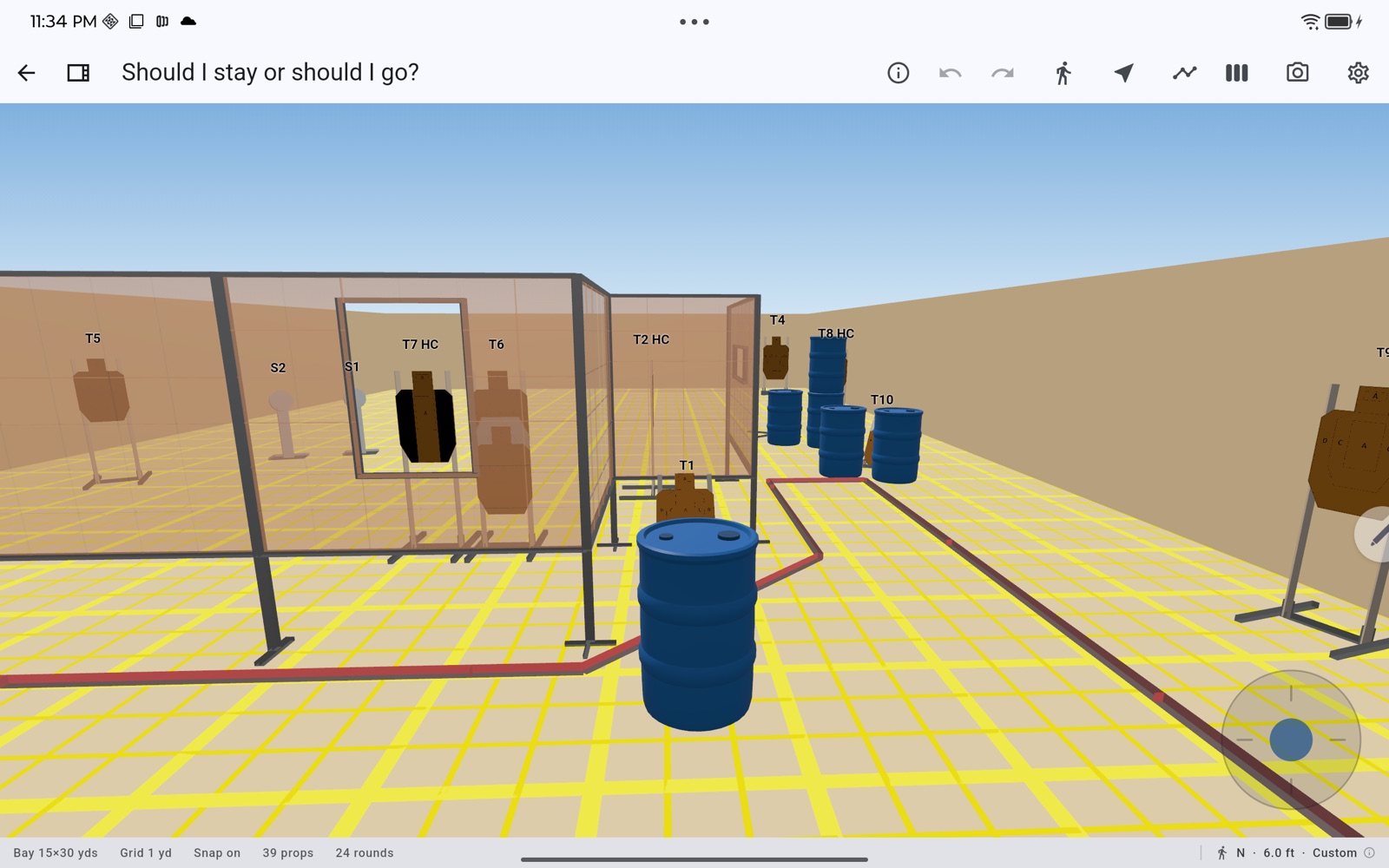
BayDraft is a 3D stage-planning app for practical shooting. Lay out targets, steel, and walls on a real bay, then drop to eye level and walk the stage the way a competitor will — before anyone hauls a single prop out of the conex.
What it does
Every stage is a real scene, not a sketch. Props are actual 3D models placed on an actual bay, so what you see is what the squad will see.
-
Eye-level walkthrough
Move through the bay from a shooter's perspective. Find the target you thought was visible from position two and the one you didn't.
-
A real prop library
Paper targets, steel, walls and ported walls, fault lines, shooting boxes, barrels and more — placed by drag and drop, rotated on the bay surface. The catalog keeps growing, and new props show up without waiting for an app update.
-
Multi-face targets
Stack and angle target faces, add hard cover, and set per-sport rotation limits. Partials read correctly from every shooting position.
-
Round count that keeps itself honest
Scored paper and steel are counted automatically as you edit. No recounting the diagram at midnight the night before the match.
-
Overhead diagrams and export
Snap to a clean overhead view and export the stage as a JPG or PDF for the stage briefing, the match book, or the setup crew.
-
Saved viewpoints
Store the angles that matter — the start position, each array, the walkthrough path — and jump straight back to them.
-
Works without a signal
Bays are rarely close to a cell tower. After you sign in once, the editor keeps working offline; your stages sync when you're back on a connection.
-
Your stages on every device
Design on the desktop, pull it up on your phone at the bay. Tag and search your library as it grows.
Download
BayDraft is in beta ahead of its first release. Mac, Windows and iOS builds are available now; store links will appear here as each platform ships.
- iOS & iPadOS Beta · iOS 15 or later Join the iOS beta Opens in Apple’s free TestFlight app. Limited to 100 testers.
- macOS Beta · macOS 12 (Monterey) or later Download for Mac
- Android Coming soon
- Windows Beta · Windows 10 (1809) or later, 64-bit Download for Windows Unsigned installer — Windows will warn. Choose More info → Run anyway.
A BayDraft account and one internet connection are required to set the app up. After that, designing and editing stages works offline.